The latest release of MAAD2GO, version 3.0, has many improvements and new features.
Here's a sample of the smart, the fun, and the just plain cool.
In this version, you will find the following ...
|
|
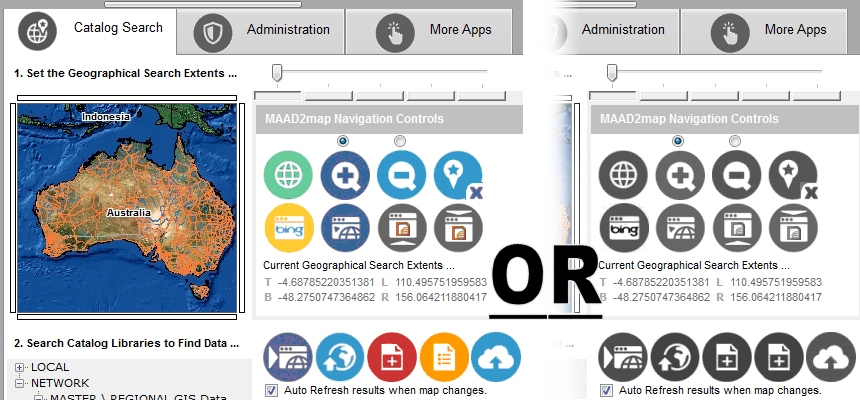
Redesigned, cleaner interface that you can skin.
Customise the look and feel the way you want. Either display MAAD2GO as the uniform greyscale skin (default), or as a more appealing coloured skin. The buttons have been standardized to be differentiated more easily between MAAD2GO items, and items within the GIS Viewer ...
|
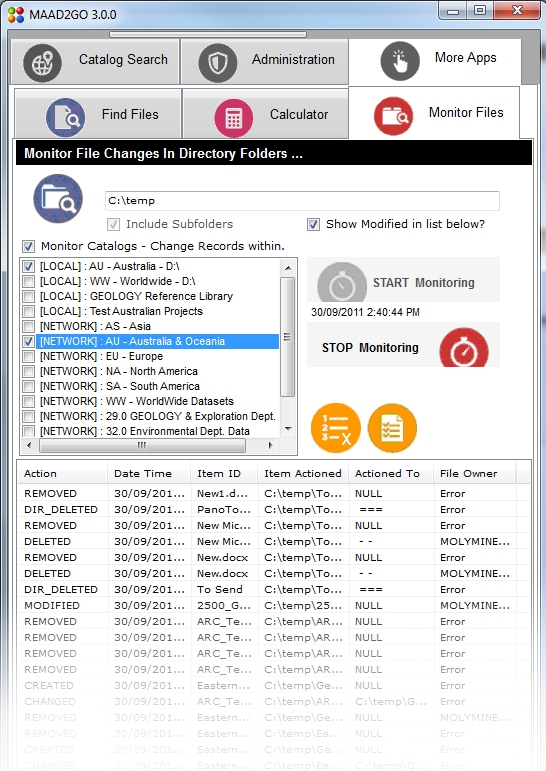 |
Monitor file and directory changes, update catalog libraries in Real-Time.
The ability to monitor changes to files and directories within the file server environment (moved, deleted, created or modified) has been added to MAAD2GO.
Simply point the application to a directory tree to monitor (UNC or mapped), and any changes can be logged or have MAAD2GO Catalog libraries updated in real-time.
This means that any changes made through Windows Explorer or the files native application where the files are linked to MAAD2GO will be maintained and not broken, ensuring continuity and completeness of the system.
|
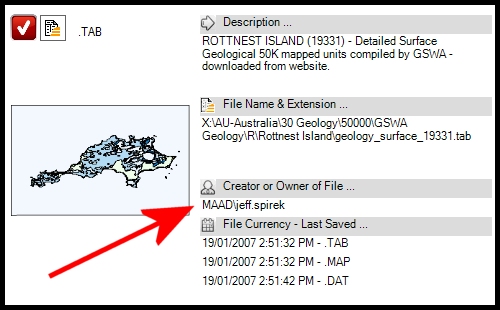 |
File owner information extracted direct from files and associated.
MAAD2GO cracks open the internal structure of a file to extract the creator’s name (domain and user name).
This provides the ability to see who created the actual file, and not just who added the file to a catalog library.
This function comes into its own and is an important administration function when using the file monitor and analyzing the log files, particularly when a file is deleted ...
|
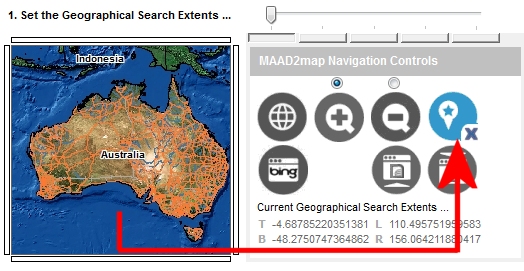 |
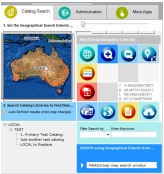
Bookmark the MAAD2map window search extents.
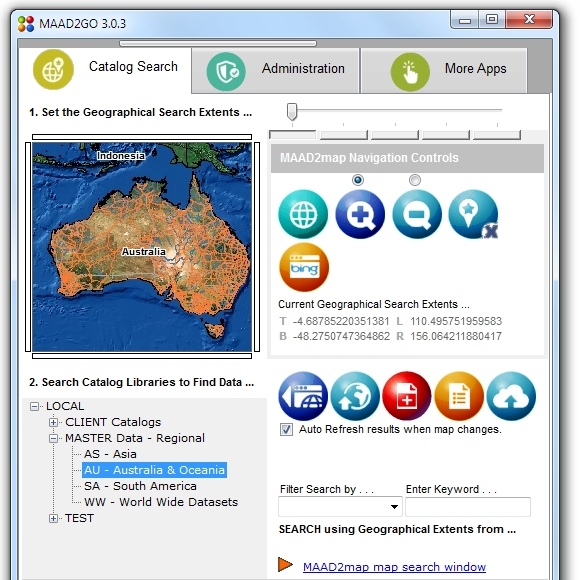
Set the start extents of the MAAD2map Search Extents Map Window to be exactly over the area you require.
Instead of displaying the full extents of the world as set by default, this can now be zoomed to an area of choice, which save valuable time in searching for and returning data specific to your area ...
|
 |
Export vector layers to ESRI shp, Autocad dxf and MapInfo mid/mif formats.
On the fly conversion of vector map layers to another format, such as ESRI ShapeFiles, Autocad DXF or MapInfo Interchange formats has been included as a function from the GIS Viewer.
This means that if all your data is stored as MapInfo TAB files, another person can open the layers and export them to another format (DXF) for immediate use within another software program.
This ensures that one true set of data can be stored, but accessible for other programs as required. The export function can export the entire layer, or clip (subset) the layer to the map window extents ...
|
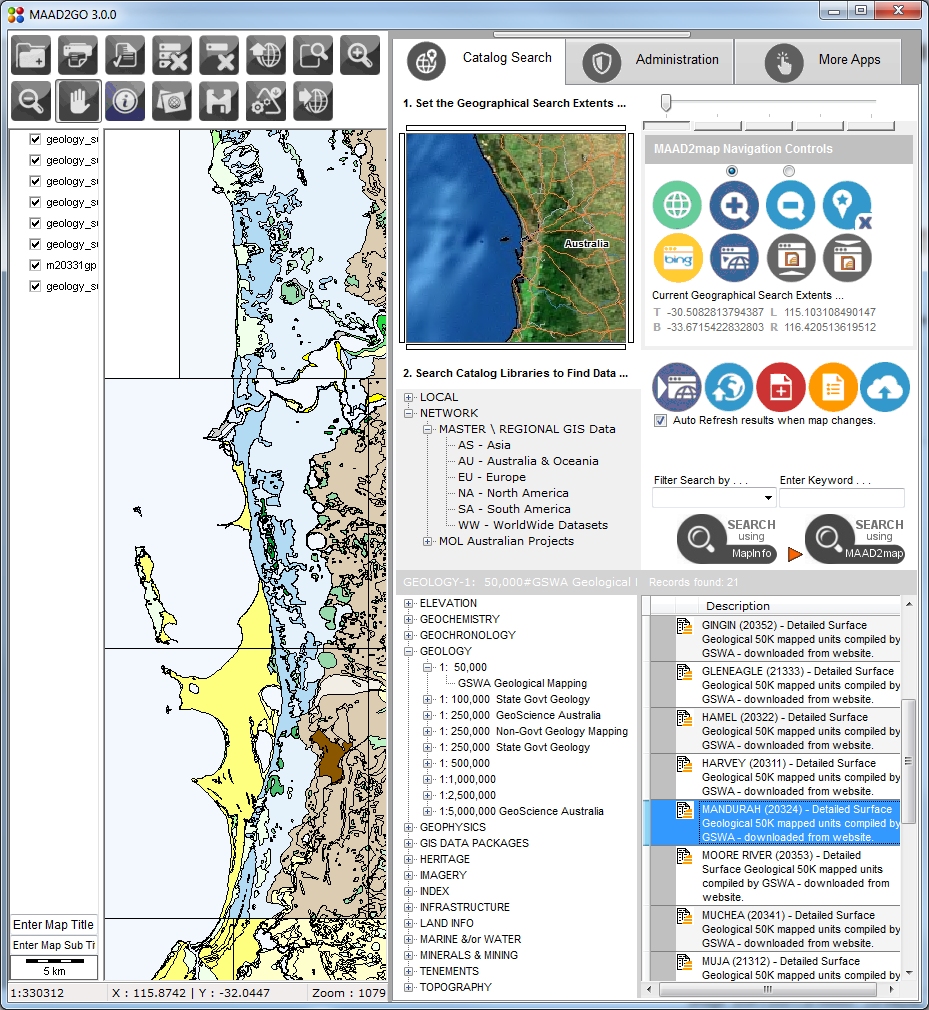 |
Sped Up Display of GIS vector layers in the GIS Viewer.
The GIS Viewer has been reworked to provide a more efficient and faster method to open and display GIS layers. This includes optimizing the base code as well as providing a method to display the layer on the next mouse click or action (so the layer loads in the background and not immediately graphical).
Large vector layers can be loaded faster if an index file pre-exists (file extension .rtree), and functionality is now provided within a layers metadata administration area to generate one as required ...
|
|
Last Modified File Date \ Time shown in thumbnail popup.
Placing the last saved date and time of a file within the popup thumbnail window provides a very quick method to identify the currency of the file ...
|
| . |
Updated \ Enhanced Functionality.
The following functionality has been updated, enhanced or included in this version;
File Metadata ;
Spatial index file creation - .rtree
Addded functionality to capture record info from catalog when deleted
Add File to Catalogs ;
Updated support for Adobe thumbnail creation, no requirement for Adobe Acrobat to be installed
Added support to get the creator's name from a file.
Added additional file formats when adding files via the bulk add method.
Internet Map Reference browsing ;
Changed Bing Maps referencing 6.2 to 6.3 - 7.0 available but not compatiable without code rewrite.
File & Directory Monitor ;
Added support to get the creator's name from a file.
|
Updated Features or Bug Fixes to Version 3.0
latest version - MAAD2GO version 3.0.8
The following has been added as either new features, bug fixes or maintenance patches for version 3.0;
 |
Version 3.0.7
- Added Windows 8 metro style buttons to interface
- Added functionality to include additional Comments and Keywords when using the bulk upload function
- Fixed File Monitor issue when deleting multiple files through windows explorer.
- Adjusted functionality when adding files - uses the inbuilt GIS map renderers first, but MapInfo Professional is still required when uploading MapInfo linked image files (i.e. TAB with ECW or JPGs).
|
|
|
Version 3.0.4
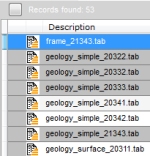
- Added ability to highlight selections where the file has been opened in it's native associated program by either from double clicking the record, or if it has been right-mouse-clicked and dragged into the GIS Viewer.
The selected records in the selection results listing are displayed in grey, and can be cleared by selecting the small button next to the label that displays the number of records selected.
|
|

|
Version 3.0.3
- Added functionality to provide notification when an update or new version is available for download and installation.
|
|
|
Version 3.0.2
- Bug reported using File Monitor when multiple files are deleted through Windows Explorer - failed to remove all references from catalogs. This has now been rectified.
- Enhanced the functionality when adding a MapInfo professional vector TAB file to a catalog. If a non Lats\Long projection is discovered (i.e. metres, feet, etc), MapInfo is no longer required to determine extents. MapInfo Pro is still required if the TAB is linked to an image format (i.e. - .jpg, .bmp, etc) when a file is added to a catalog.
|
|
|
Version 3.0.1
- Added skin choice using Glossy 3D looking icons, plus tidied up incorrect flat colour icon displays.
- Fixed up progressbar in Metadata window - was displaying incorrect results when generating thumbnails, spatial indexes or extents. ...
|