Streamline of Interface - Easier to Navigate for non-technical users
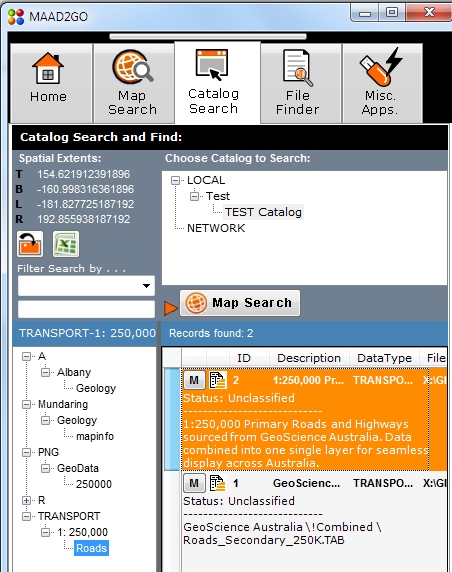
The interface has been redesigned to be more intuitive to user for the non Administrative user, where the setting the geographical extents and the catalog selecting and querying have been combined in a single panel.
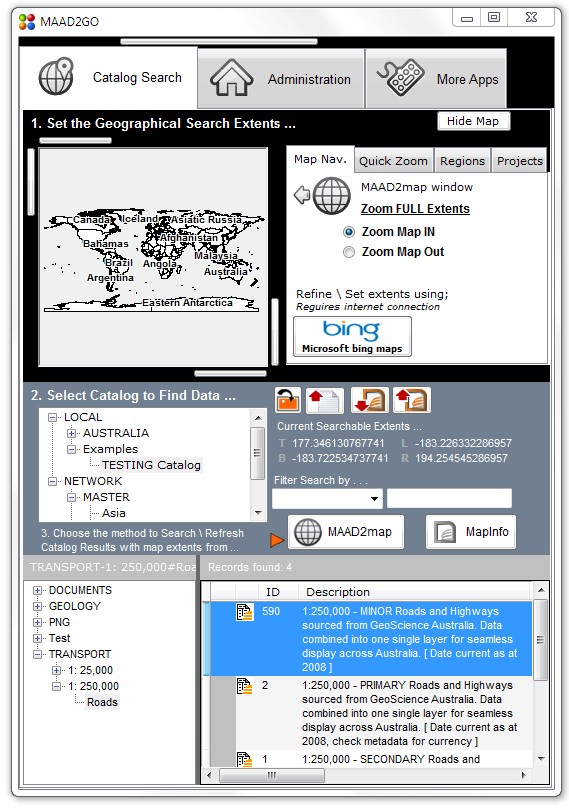
Licenced users enjoy the program opening on the catalog search tab, where all they need to do is set the geographical extents, then choose a catalog to query. To view more of the results found, the MAAD2map map section can be 'hidden' and shown again when required.
This combining of interfaces into a single interface will reduce confusion and clicking of multiple interfaces to search the catalogs.
Rollover Thumbnail Preview
Probably the most exciting enhancement in this update is the rollover popup thumbnail preview of a record function. This allows a very quick view of what the dataset looks like, and will enable the user to even more easily target the right data to open more quickly.
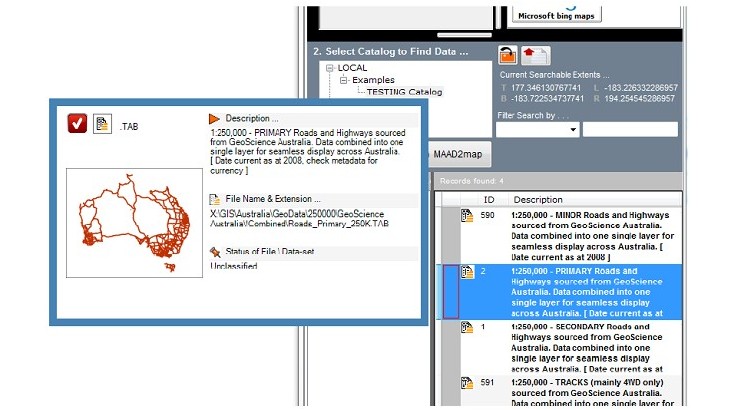
Some files, such as images and Microsoft Word, Powerpoint, are created on-the-fly, however a thumbnail image of a MapInfo TAB will need to be generated individually for each file. Don't worry, I have included an automatic routine to generate the MapInfo file, which creates a small thumbnail (.png) of the same name as the TAB file, and resides in the same directory. During the processing of adding a file to MAAD2GO, a thumbnail will be created automatically as long as MapInfo is open and active during this adding process.
The following features were added for minor release 1.2.8;
BULK Add Files to Catalogs
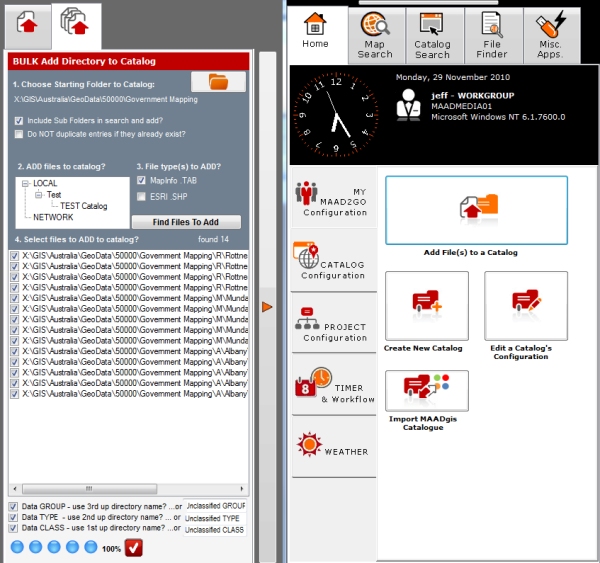
Finally, you can now point to a directory, and rapidly catalog all the spatial files within that directory and its sub-directories.
This feature will ensure all files can now be added to catalogs in a speedy and fast manner, making it a perfect function if you are just starting out cataloguing, or you have been provided with directories of new files and do not have the time to add each file individually.
Please note: MAAD Solutions is still of the opinion that all files that are added to any catalog(s) must be validated individually to ensure the integrity of the catalogs and the data included are maintained at a high level.
To use, this function is accessible by selecting the button located on the Home Tab >> CATALOG Configuration tab >> Add File(s) to a Catalog.
Data Classifications INCREASED to 3 levels
To further increase the easy identification of Data Groups and Data Types that can be displayed when the Catalog Search function is used, this has now been increased to 3 levels. These are now referred to as Data GROUP (1st Level), then the Data TYPE (2nd level) and finally the Data CLASSIFICATION (3rd level).
This option will now allow GIS Administrators to further describe and separate data to be more easily identifiable and selectable.
The following features were added for version 1.2.6;
Drag and Open files Directly into ESRI ArcGIS or ArcMap products
Unlike MapInfo, where double clicking on a file reference in MAAD2GO opens a MapInfo file (tab) directly into the MapInfo active map window, using this same method in ESRI ArcGIS is not possible. A solution has been devised to physically drag the file from MAAD2GO and drop it into an open ArcGIS active map window. This drag and drop function can be used for other applications as well, such as Word, Adobe PDF, etc
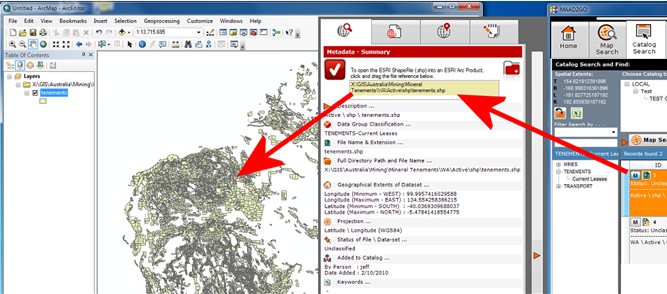
To use, this function is accessible from a catalogued files’ metadata window.
Further integration with ESRI productions is being planned for future releases.
Display Linked & Associated Metadata Files
Files that contain additional metadata and reside within the same directory as the catalogued file, can now be opened directly into their native program.
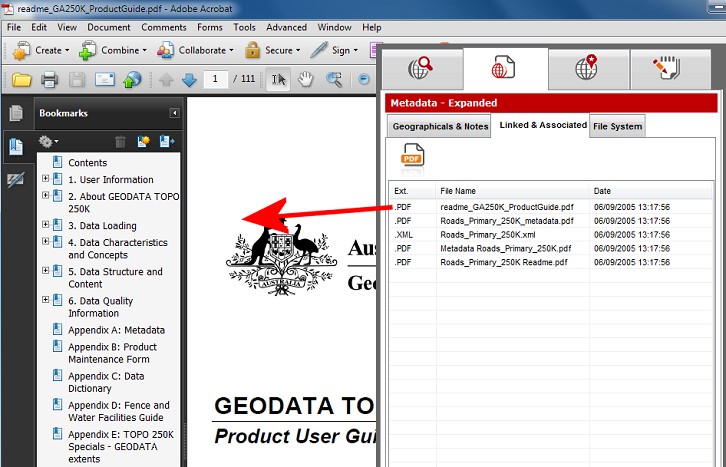
To use this function, select the Ext (Extension column) associated with a referenced metadata file.
Re-Design of the Metadata Summary Window
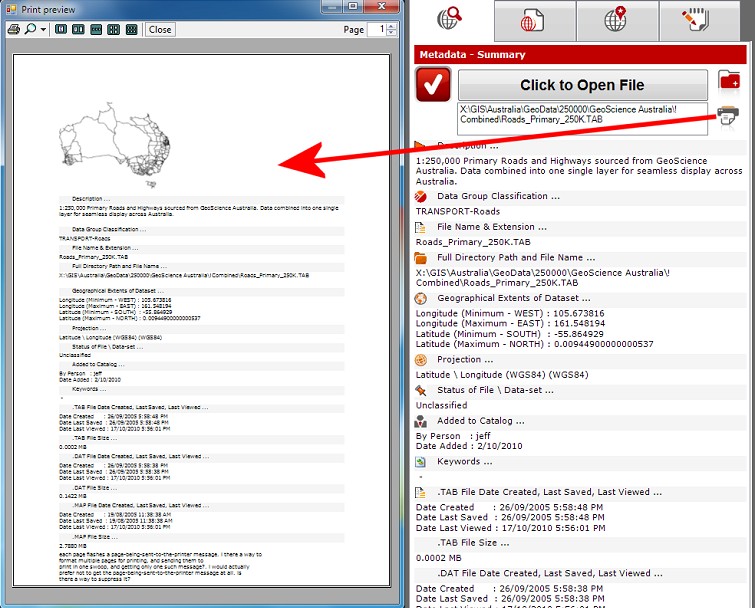
A redesign of the metadata summary window has been undertaken in order to make this important opening screen more readable, and easier to identify specific items of metadata. Functionality to drag and drop a catalog reference, plus buttons to open file explorer in a files’ residing directory, and a print metadata summary functionality have also been added.
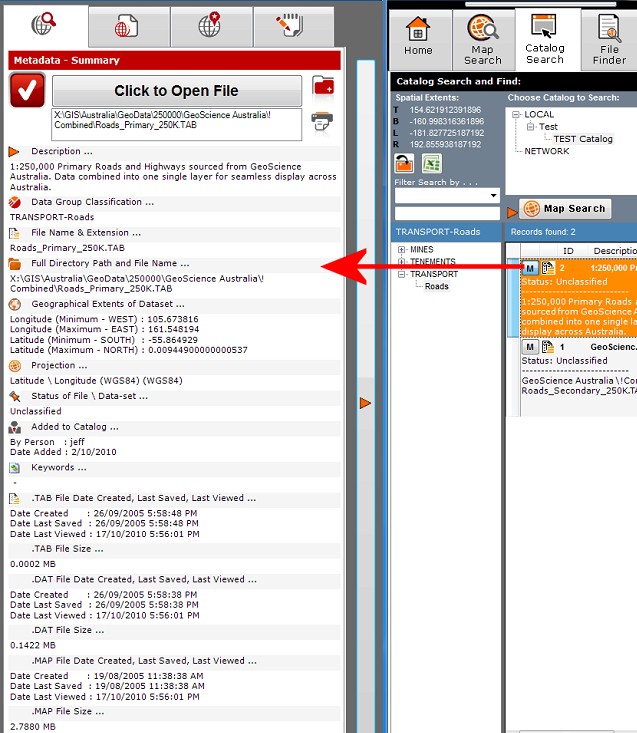
To use this function, select the M button associated with a catalogued reference from the Catalog Search tab.
Print Metadata Summary Results straight to a Printer
A by product of the metadata summary window redesign, is providing an option to print these results directly to a printer. If the layer is a spatial layer (ie .tab, .shp, etc) and has been initialised through the metadata map preview display option, this is also included in the print option.